
Robertson AV Guides
Projector Lumens Guide: How Bright for Each Room Size
By Robertson AV ·
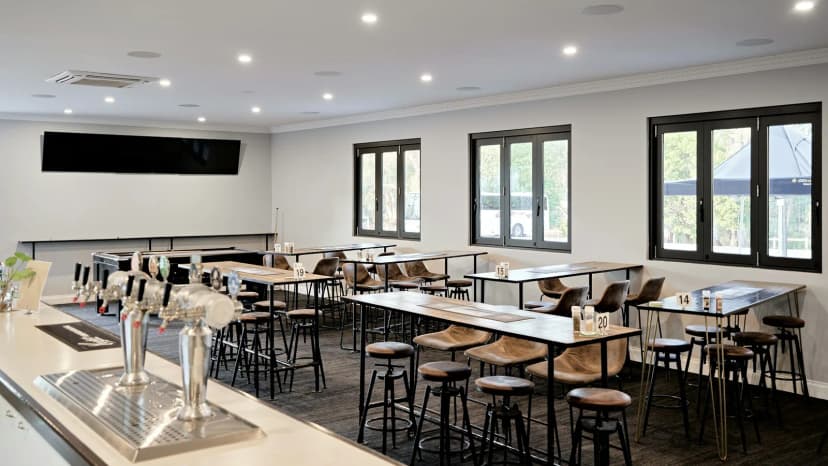
“How many lumens do I need?” is the first question on almost every projector quote we price, and the wrong answer is expensive both ways. An underpowered projector looks washed out on day one. An oversized one costs more, runs louder and can be tiring to watch in a dim room. This guide gives practical starting points by room type, the simple calculation integrators use to check them, and the room factors that move the number up or down.
Lumens, briefly
A projector’s lumen rating is the total light it sends out. For business and education models, look for ISO 21118 or ANSI lumen figures on the manufacturer’s spec sheet. Epson also publishes a separate color brightness figure, and on 3LCD models color and white brightness are usually the same. Treat vague “peak” or “LED lumen” claims on low-cost consumer projectors with caution. They are not comparable to ISO or ANSI figures.
What the audience actually sees depends on three things: the projector’s output, the size of the image, and how much other light hits the screen. Lumens alone tell you only the first.
Suggested brightness by room size
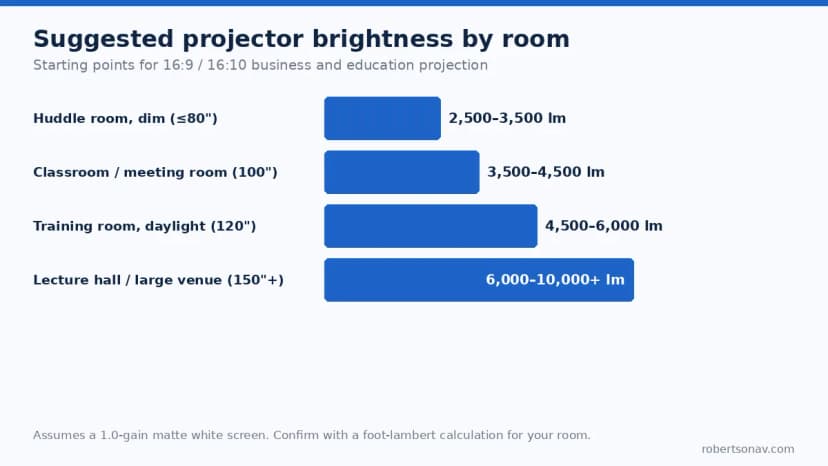
These starting points assume a standard 1.0-gain matte white screen, a typical 16:9 or 16:10 image and normal office lighting with some control over windows.
| Room | Typical image | Lighting | Starting point |
|---|---|---|---|
| Huddle room (4–6 seats) | 70″–80″ | Dimmable, few windows | 2,500–3,500 lumens |
| Classroom or meeting room | 100″ | Lights on, shades available | 3,500–4,500 lumens |
| Training room with daylight | 120″ | Lights on, uncontrolled windows | 4,500–6,000 lumens |
| Lecture hall or multipurpose room | 150″ and up | Mixed, often bright | 6,000–10,000+ lumens |
| Dedicated home theater | 100″–150″ | Fully dark | 1,800–3,000 lumens |
For a worked example in the classroom band, the Epson PowerLite 119W is a 4,000-lumen WXGA model aimed at exactly this kind of room. Our classroom display planning guide compares ultra short throw models from 3,600 to 5,200 lumens.
Check it with the foot-lambert calculation
The table is a shortcut. To check a specific room, integrators calculate screen brightness in foot-lamberts (fL):
fL = (projector lumens × screen gain) ÷ screen area in square feet
A 100-inch 16:9 image is about 87 × 49 inches, or roughly 29.6 square feet. With a 4,000-lumen projector on a 1.0-gain screen, that’s about 135 fL at full output. That sounds like plenty, and in a dark room it is. But the rating is measured from a new projector in its brightest mode. Real rooms need headroom, for four reasons:
- Eco and quiet modes cut output, sometimes substantially, and many rooms run in Eco to extend lamp or laser life and reduce fan noise.
- Zoom position matters on many projectors. Output is highest at the wide end of the zoom range.
- Light source aging reduces brightness over the life of a lamp or laser.
- Color modes tuned for accuracy are dimmer than the brightest preset.
As a working rule, we size business and education projectors so the room still looks right after allowing roughly 20–30% for those losses. Then we check the result against the ambient light in the room, which is where most projects are decided.
Ambient light is the real variable
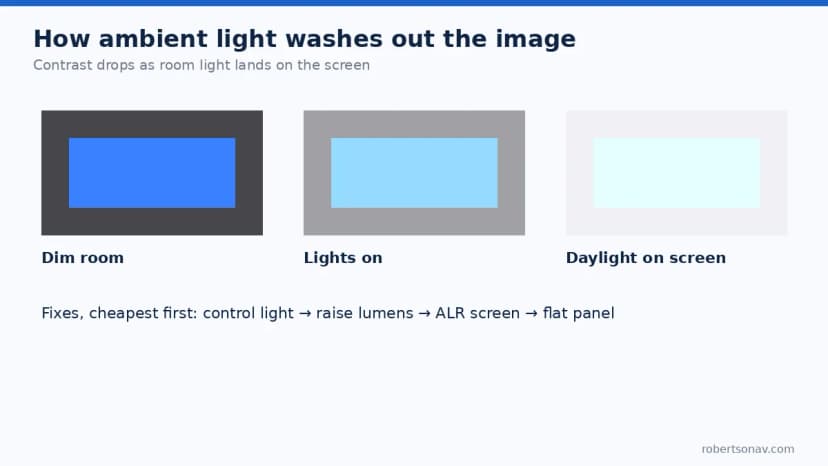
A projector can’t project black. The darkest part of the image is simply the screen under whatever room light lands on it. Every bit of ambient light on the screen raises that black level and lowers contrast, so text and images look washed out even though the projector is working correctly.
In practice, controlling light is the cheapest fix, so work through these in order:
- Control the light. Shades or blinds on windows facing the screen, and lighting zones so the fixtures nearest the screen can be dimmed while the rest of the room stays lit for note-taking.
- Raise the lumens. Move up a brightness class when the room has to stay fully lit.
- Change the screen. An ambient light rejecting (ALR) screen helps when light comes from above or the sides, but check viewing angles for wide rooms and confirm compatibility for ultra short throw projectors, which need a matching ALR type.
- Switch to a flat panel. When strong daylight hits the display wall and can’t be controlled, a display is often the better tool.
For rooms where the decision tips toward a display, our commercial display vs consumer TV checklist covers brightness in nits, duty ratings and control ports.
Image size changes everything
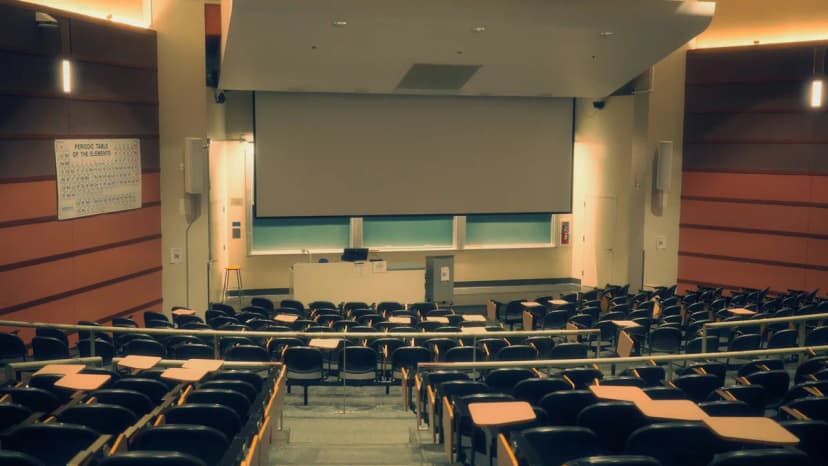
Brightness on the screen falls with area, not diagonal. Going from a 100-inch to a 120-inch image increases the area by 44%, so the same projector looks roughly 30% dimmer. A 150-inch image needs about 2.25 times the light of a 100-inch image for the same screen brightness. When a client asks to “just make the image bigger,” the lumen requirement grows with it.
This is also why throw distance and brightness need to be planned together. Throw distance is the throw ratio multiplied by image width, and on many zoom lenses output is lower at the telephoto end. Confirm both on the same room drawing.
Home theater is the exception
In a dark, dedicated room, too much light is a real problem. A very bright image on a big screen causes eye strain and makes dark scenes look gray. Cinema targets are far lower than presentation rooms: SMPTE’s reference for commercial cinema is around 14–16 fL for standard content. That’s why home cinema projectors such as the 2,500–3,000-lumen models in our Epson 4K PRO-UHD guide are plenty for a 120-inch screen in a dark room. Living rooms with lights on are a different job and push toward the brighter end of that range.
Other factors worth a minute
- Resolution and content. Brightness won’t fix text that’s too small. Size the image so the back row can read your smallest font, then pick resolution and lumens.
- Fan noise. Brighter projectors in their full-power mode are louder. In small rooms, a slightly brighter model running in Eco can be quieter than a smaller one at full power.
- Uniformity. Very short throw and very wide images can show brighter centers and dimmer corners. Check the spec sheet’s uniformity figure for large screens.
- Multi-room standards. If you are outfitting ten classrooms with different window exposures, pick a model with enough headroom for the brightest room. One model across the building simplifies spares and training.
A quick sizing workflow
- Set the image size from the room depth and the smallest content people must read.
- Note the lighting condition you need to support, not the best case.
- Pick a starting point from the table above.
- Check foot-lamberts with Eco mode and aging in mind.
- Confirm throw distance and mounting at the same time.
- If the numbers don’t work, fix the light first, then the screen, then consider a flat panel.
Send Robertson AV your room dimensions, screen size, window exposure and intended use through the quote request page. A specialist will check brightness, throw distance and mounting before recommending a model.
FAQ
How many lumens do I need for a conference room?
For a typical meeting room with a 100-inch image and the lights on, start around 3,500–4,500 lumens. Add more if windows face the screen or the room must stay fully lit.
Is 3,000 lumens bright enough for daytime use?
In a small room with a modest image and some control over windows, often yes. In a room with daylight falling on a 100-inch or larger screen, it usually isn’t. Plan on 4,500 lumens or more, light control, or a flat panel.
Do ANSI lumens and ISO lumens mean the same thing?
They are closely related measurement methods and are broadly comparable on business projectors. Either is far more meaningful than unlabeled “lumen” claims on low-cost consumer units.
Can a projector be too bright?
Yes, in dark rooms. Excess brightness causes eye strain and lifts black levels. Use Eco mode or a lower-output model for dedicated theaters.
Does a higher-gain screen replace extra lumens?
Partly. Gain concentrates light toward the center of the audience but narrows the viewing angle and can create hot spots. It’s a tool for specific rooms, not a general substitute for adequate brightness.