
Robertson AV Guides
Control Systems 101: RS-232, IP, and CEC
By Robertson AV ·
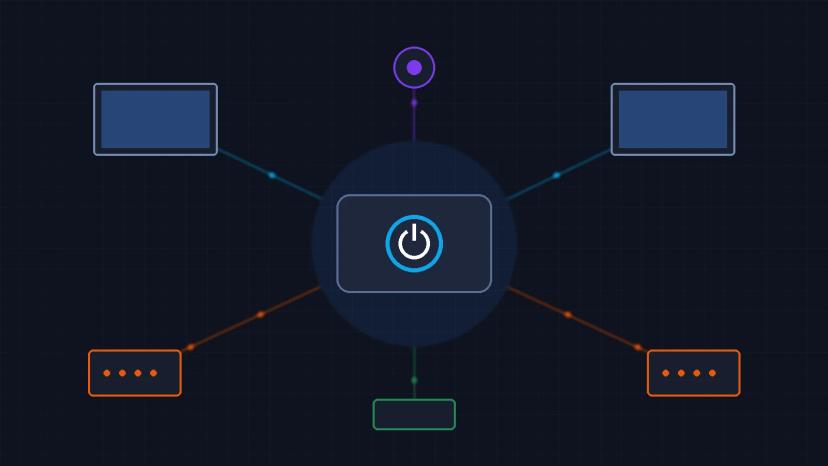
Every well-run meeting room or classroom has the same moment: someone walks in, presses one button, and the display wakes up, the right input appears and the audio is at a sensible level. Behind that button is a control system sending commands to each piece of equipment over one of three paths: RS-232 serial, IP over the network, or HDMI-CEC. This guide explains the three, where each fits and what to check before you order.
What a control system actually does
A control system is a small computer, usually called a control processor, that sits in the rack or behind the display and translates simple user actions into device commands. The user sees a wall keypad, a touch panel or a button on a lectern. The processor sees a list of macros: power on the projector, select HDMI 2 on the switcher, unmute the DSP, lower the shades. When the user presses Off, it reverses the list so nothing stays on overnight.
The processor can work with almost any brand, as long as it has a way to talk to each device. That is the control path, and every device on the equipment list needs one.

RS-232: the dependable serial workhorse
How it works
RS-232 is a long-established serial standard and a common control port on commercial projectors, displays, switchers and amplifiers. A cable runs from one serial port on the processor to one device. The processor sends short text or hex strings from the manufacturer’s protocol document, and many devices reply with status such as power state.
Most AV devices use a DE-9 connector or a three-pin terminal block, and only three conductors matter in a typical hookup: transmit, receive and ground. The port settings, usually written like 9600, 8, N, 1 (baud rate, data bits, parity, stop bits), come from the device manual and must match on both ends.
Cabling gotchas
The most common RS-232 failure in the field is a cable wired the wrong way. The RS-232 article on Wikipedia notes that the standard does not cover connecting two devices of the same type, so null-modem cables that swap transmit and receive are not defined by it, and different cables wire them differently. In practice that means checking the device manual to see whether it expects a straight-through or a null-modem connection before you order cables.

Distance is the other limit. The same article says the standard defines a maximum cable capacitance rather than a length, and a widely used rule of thumb is that runs beyond about 15 m (roughly 50 ft) need special cable. For a ceiling projector far from the rack, the usual answer is to carry RS-232 over an HDBaseT extender that already runs video to the projector. Our guide to HDBaseT extenders explains which kits pass control.
Where RS-232 fits
RS-232 is a good choice for fixed rooms where the processor and equipment share a rack or a short cable run, and where you want control that does not depend on the building network. It needs no IP addresses and keeps working when the network is down.
IP control: networked rooms at scale
How it works
IP control sends the same kind of commands over Ethernet. The processor opens a network connection to the device’s IP address and port and exchanges strings defined by the manufacturer. One processor can reach many devices through a switch, and a central server can monitor rooms across a campus.
For projectors and displays there is also a cross-brand option. PJLink, maintained by the Japan Business Machine and Information System Industries Association (JBMIA), is a common protocol for monitoring and controlling projectors and displays over a network. According to the PJLink introduction document, Class 1 covered basic control and monitoring and was released in April 2005, and Class 2, released in July 2016, added device search, spontaneous status notifications and IPv6 support. Check the spec sheet for PJLink support and class rather than assuming it.
What IP control needs from IT
IP control only works when the network is planned for it. Before installation, settle these with the IT team:
- Addressing: static IP addresses or DHCP reservations for every controlled device, so the processor can always find them.
- VLAN and firewall rules: which ports the processor needs to reach and whether AV gear sits on its own network segment.
- Standby network power: many displays turn off their network interface in the deepest standby mode, so the “network standby” or similar setting must be enabled for IP power-on to work.
Where IP fits
IP is the natural choice for campuses, multi-room deployments and anywhere you want remote monitoring, scheduled shutdown or help-desk visibility. Our digital signage media player guide covers how networked displays are scheduled and managed.
HDMI-CEC: convenient, but not a control system
CEC (Consumer Electronics Control) is built into HDMI. The Consumer Electronics Control article on Wikipedia describes it as a single-wire bidirectional serial bus used for remote control functions, and lists the different trade names manufacturers give their CEC implementations. That last point is the catch: CEC is implemented differently across brands and models, so a command that works on one display may be ignored or behave differently on another.
CEC is useful in simple rooms. A media player or wireless presentation receiver can wake a display when content starts, and some switchers and HDBaseT receivers can send CEC power commands when a display has no other control port. It is a poor fit where you need reliable status feedback or identical behavior every time. It can also cause surprises, such as a display jumping inputs when a connected device wakes, so many integrators turn it off where it is not needed.

Choosing a control path, device by device
Most rooms mix all three. A practical approach:
- List every device that needs control. Displays, projectors, switchers, DSPs, cameras, shades and lighting.
- Check each spec sheet for its control ports. Look for RS-232, LAN or RJ-45 control, and the protocol document. Consumer TVs often lack serial or documented network control, which is one reason our commercial display vs. consumer TV checklist treats control ports as a buying criterion.
- Pick one primary path per device. Prefer IP where the network is ready and remote monitoring matters, RS-232 where you want independence from the network, and CEC only when nothing else is available or the room is genuinely simple.
- Plan the cable runs. Long serial runs to ceiling projectors usually ride on HDBaseT, and network drops need to be at the device location.
- Size the rack space. The processor, network switch and power all need a home. Our equipment rack basics guide covers rack units, ventilation and power.
For small rooms, a full processor may be more than you need. Many huddle room setups rely on a video bar and a display that wakes on signal, while wireless presentation systems can handle source switching in BYOD classrooms. Once a room has a projector, several sources or room audio, dedicated control is usually worth it.
Commissioning and documentation
A control system is only as good as its handover. Before signing off a room, test every button from cold power, confirm that status feedback matches what the equipment is really doing, and record each device’s IP address, serial settings, protocol version and firmware. That record is what lets a replacement projector drop into the existing program years later. Scheduled shutdowns also help routine care, which our projector maintenance guide covers.
Getting a control-ready room quoted
When you request pricing, list every device by model, note which control path you plan to use for each, and say whether the room will be on the building network. Browse control systems, networking and communications and video distribution, or send the list through a quote request. Shipping is free on all RobertsonAV orders within the United States, including oversized and heavy items. Purchase orders against a formal quote are accepted at orders@robertsonav.com and should reference your quote; our guides to requesting an AV quote that gets approved and buying AV equipment with a purchase order walk through the process.
FAQ
Is RS-232 obsolete for AV control?
No. It is still a common control port on commercial AV gear, valued because it works without the building network.
What is the difference between a straight-through and a null-modem RS-232 cable?
A straight-through cable connects each pin to the same pin on the other end. A null-modem cable swaps transmit and receive. Which one you need depends on how each device wires its port, so check both manuals.
Can I control a projector over the network without a manufacturer’s protocol?
If the projector supports PJLink, a controller can use that common protocol for basic functions like power, input and status. Check the spec sheet for PJLink support and which class it implements.
Why does my display not turn on over IP?
The most common reason is that the display’s network interface shuts off in standby. Enable the network standby or similar setting in the display menu, and confirm its IP address has not changed.
Should I rely on HDMI-CEC in a conference room?
Only in simple rooms. CEC behavior varies by brand and model, so for rooms that must behave the same way every time, use RS-232 or IP control and keep CEC as a fallback or turn it off.
Can RobertsonAV help me match control ports to the equipment list?
Yes. Send the models and room details through a quote request and note which devices need control, and we will confirm the ports and cabling before you order.