
Robertson AV Guides
Church and House of Worship Projection Guide
By Robertson AV ·
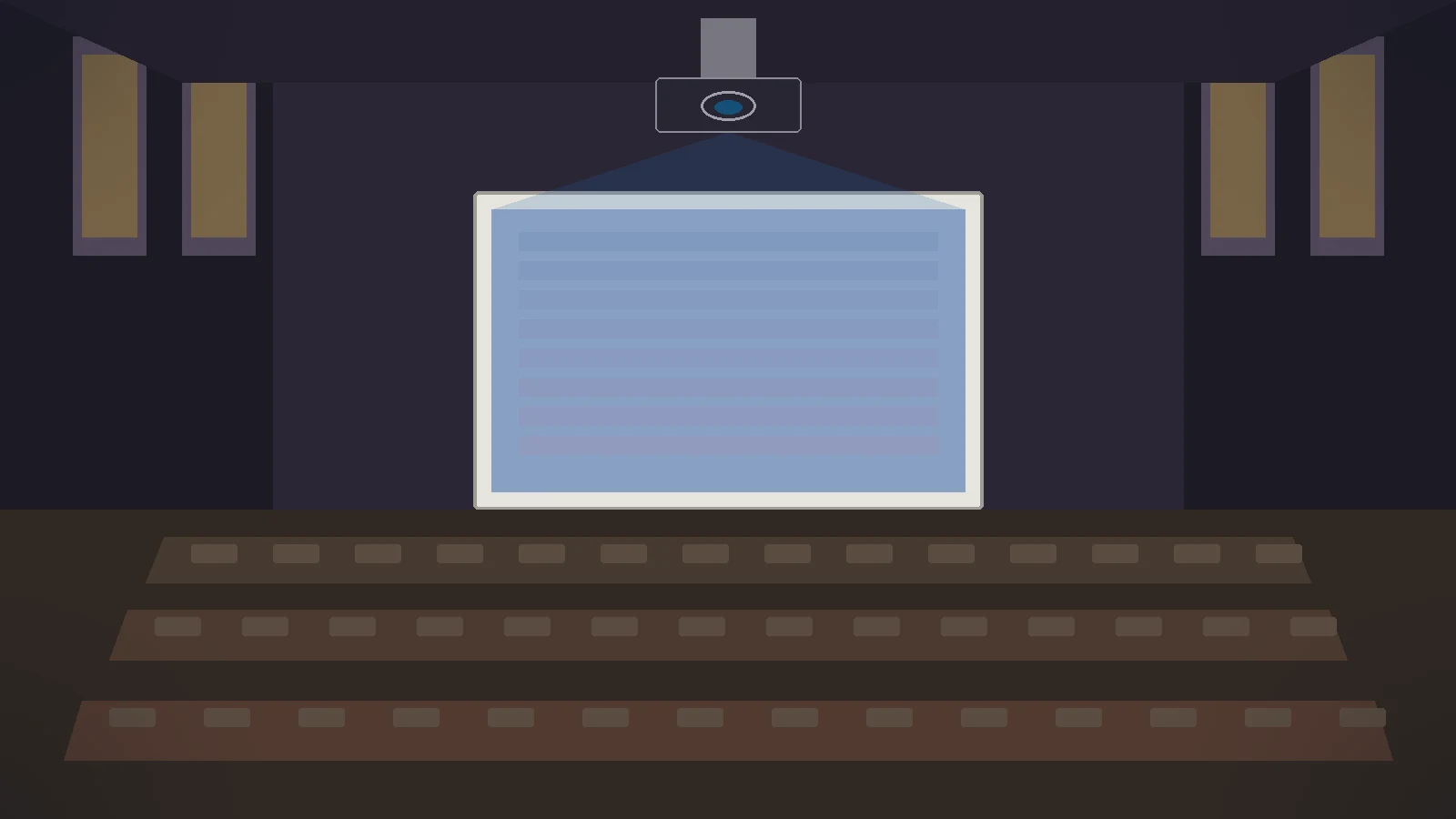
A sanctuary is closer to a lecture hall than to a living room. The farthest pew is farther than a classroom back row, house lighting often stays up, and windows or lanterns can throw daylight across the screen during a morning service. Church and house-of-worship projection succeeds when you size the image from that farthest seat, choose brightness for the light you actually keep on, and place a lens that can hit the screen without keystone as the main correction. This guide walks through that planning sequence.
Use the same fundamentals already documented for other large rooms: the projector lumens guide, the screen size and seating distance guide, and how to calculate projector throw distance. For very large rooms, lecture hall AV design is a useful companion. This article does not invent a special "church lumen number." It applies those published methods to sanctuaries, chapels and fellowship halls.
Size the image from the farthest pew
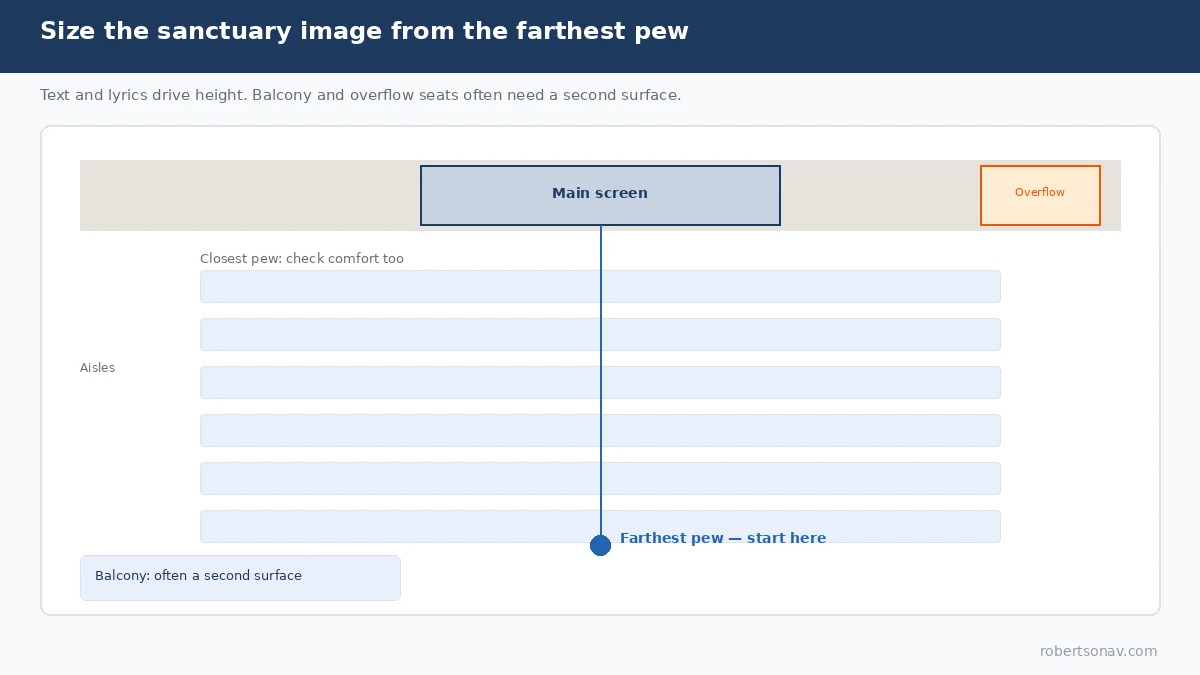
Start with the farthest designed viewing seat, not with a screen that happens to fit between two beams. A seat-based method such as the 4/6/8 rule in the screen-size guide is a practical starting point: denser text and lyrics need a taller image than simple video. If the room uses projected liturgy, verse text or announcement slides, plan for the text case, not the occasional film night.
Closest-seat comfort still matters. A screen that is huge for the front pew can be as wrong as one that is invisible at the rear. Balconies and overflow rooms usually need a second surface or a feed to a side or rear display so edge seats are not reading a steep angle. If you add overflow displays, treat them as part of the same content path, not as an afterthought television on a cart.
Brightness follows the lights you leave on
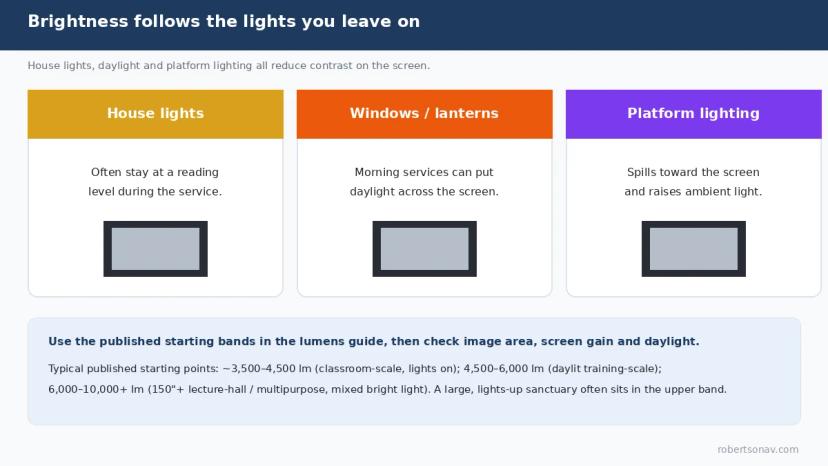
Many sanctuaries never go dark. House lights stay at a reading level, stained glass or clear windows admit daylight, and platform lighting spills toward the screen. That is an ambient-light problem, not a reason to guess a lumen figure from memory. Use the lumens guide's starting bands for the image size and lighting condition you actually have, then check the result against the projector's ISO or ANSI lumen rating and the screen gain.
As a reminder of those published starting points, the lumens guide suggests roughly 3,500–4,500 lumens for a typical classroom or meeting-room image around 100" with lights on and shades available; 4,500–6,000 lumens for a 120" training-room image with daylight; and 6,000–10,000 lumens and up for a 150" or larger lecture-hall or multipurpose image in mixed, often bright light. A sanctuary with a large screen and lights up usually lives in that upper band, but the right number still depends on image area, screen material and how much daylight hits the surface. Confirm it with a calculation, not a rule of thumb alone.
Screen material can help or hurt. A matte white 1.0-gain screen is the honest reference. In a bright sanctuary, an ambient-light-rejecting surface may be worth evaluating, with the usual geometry limits of ALR material. See projector screen materials: gain, ALR, and matte white before you buy a high-gain screen that looks bright on axis and poor to the side aisles.
Laser versus lamp is a duty-cycle and maintenance decision as much as a brightness decision. Weekend use is not the same as daily classroom use, but lamp changes, filters and warm-up still have a cost. Compare that path in laser vs lamp projectors: total cost of ownership. If a mid-band classroom chassis is genuinely enough for a small chapel, the PowerLite 119W room planning checklist shows how to work a standard-throw lamp example. Larger, brighter rooms usually need an installation-class projector instead. Fine text at a large diagonal is also a resolution question; see Epson 4K PRO-UHD projectors explained and native 4K vs pixel-shift 4K when lyric and verse readability is the driving requirement.
Place the lens for the architecture you have
Sanctuaries are often tall, with decorative ceilings, beams, trusses or a rear balcony that looks like a convenient booth. Measure throw from the intended lens position to the screen, then pick a projector and lens whose published throw ratio hits that distance at the image width you already chose. Deep rooms usually want a standard or long-throw lens with lens shift. Keystone should be a small correction, not the way you aim the image. Ultra-short-throw is rarely the right primary tool for a large sanctuary rake; save it for smaller chapels, halls and interactive surfaces.
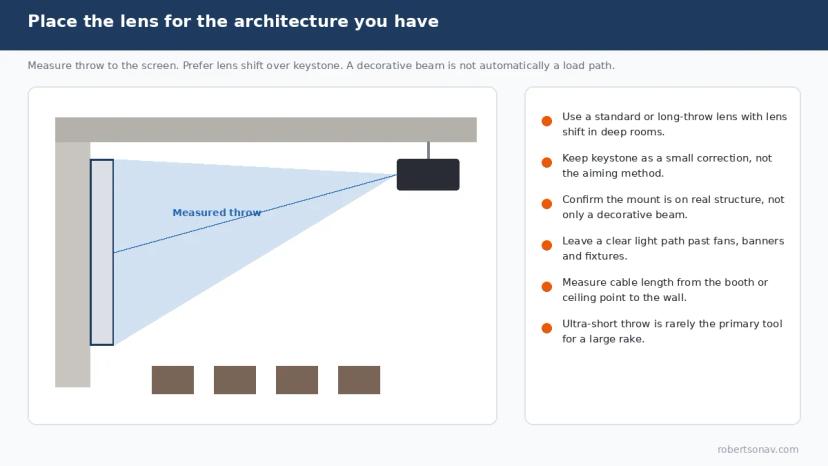
The mount must be rated for the projector's weight and fastened to structure that can take it — a decorative beam is not automatically a load path. See projector mounts: ceiling, wall, and short-throw arms. If a rear booth or balcony is the lens location, confirm you can still reach the unit for service, and that the light path is clear of fans, banners and hanging fixtures. Cable length from the booth to the screen wall, and from the room computer or media booth to the projector, should be measured rather than estimated; long HDMI runs may need an extender, as described in HDMI over HDBaseT.
Audio, confidence and overflow are part of the same plan
Projection does not replace speech reinforcement. If the farthest pew cannot understand spoken word, that is an audio problem, and a louder program speaker in the projector is not the fix. For large, reverberant rooms the coverage logic in our PA speakers for gyms and multipurpose rooms guide is closer to sanctuary practice than a classroom soundfield kit, though every worship space still needs its own acoustic look. A confidence monitor for the platform and a simple, reliable way to switch between lyrics, scripture, camera and announcement sources will be used every service; plan that path before you add complexity.
What to send with a quote request
- Room length, width, and ceiling or beam height at the screen and at the likely projector location.
- Distance from the screen to the farthest pew, and to the closest pew that must view comfortably.
- Desired image size, or a request to size it from those distances, plus aspect ratio if you already know it.
- Notes on house lighting, window or lantern daylight, and whether services happen in daytime.
- Intended projector location: ceiling, rear booth, balcony or wall.
- Whether overflow, balcony or confidence displays are required, and what sources must be switched.
- Delivery and access notes for a heavy projector or a large screen. Some items need a scheduled delivery, and the carrier will contact you to arrange a delivery window. If you need liftgate or inside delivery, say so on the quote request.
Browse projectors and screens once geometry is set, or send the measurements through a quote request.
FAQ
How many lumens does a church projector need?
It depends on image size and the light that hits the screen. Use the starting bands in the projector lumens guide and check them against screen gain and daylight. A large sanctuary with lights up often lands in the higher installation-class band, but that is a starting point, not a specification.
Should we use an ambient-light-rejecting screen?
Possibly, if house lights or windows wash a matte white image and the seating stays inside the ALR material's viewing cone. Side aisles can be a poor match for some high-gain or angular-reflective surfaces. Read the screen materials guide before you order.
Can we put the projector in the balcony or a rear booth?
Yes, if the throw distance, lens, aiming (lens shift rather than heavy keystone), mounting structure and service access all work. Measure the path and check the projector's throw table, or use the throw distance guide.
Do we need a second screen for a balcony or overflow room?
Often, yes, if those seats cannot read the main image at a comfortable angle or size. Feed overflow from the same content path as the main screen.
Is a classroom projector enough for a small chapel?
It can be, if the image is modest and the light is controlled. Work an example such as the PowerLite 119W checklist and compare it with the lumens guide. If the screen is large or the room stays bright, move up to an installation-class projector.
Can RobertsonAV quote a church projection system?
Yes. Send room dimensions, farthest- and closest-seat distances, lighting notes, the intended projector location and whether overflow or confidence displays are needed through a quote request. Shipping is free on all RobertsonAV orders within the United States, including oversized and heavy items. Some items need a scheduled delivery, and the carrier will contact you to arrange a delivery window. If you need liftgate or inside delivery, mention it on your quote request. Orders outside Florida have no sales tax; Florida orders are taxed unless you submit a tax-exemption certificate by logging into your RobertsonAV account. Net terms are available for eligible partners. Purchase orders are accepted against a formal quote and should be emailed to orders@robertsonav.com with a reference to your quote.