
Robertson AV Guides
Lecture Hall AV Design: Projection, Audio, and Capture
By Robertson AV ·
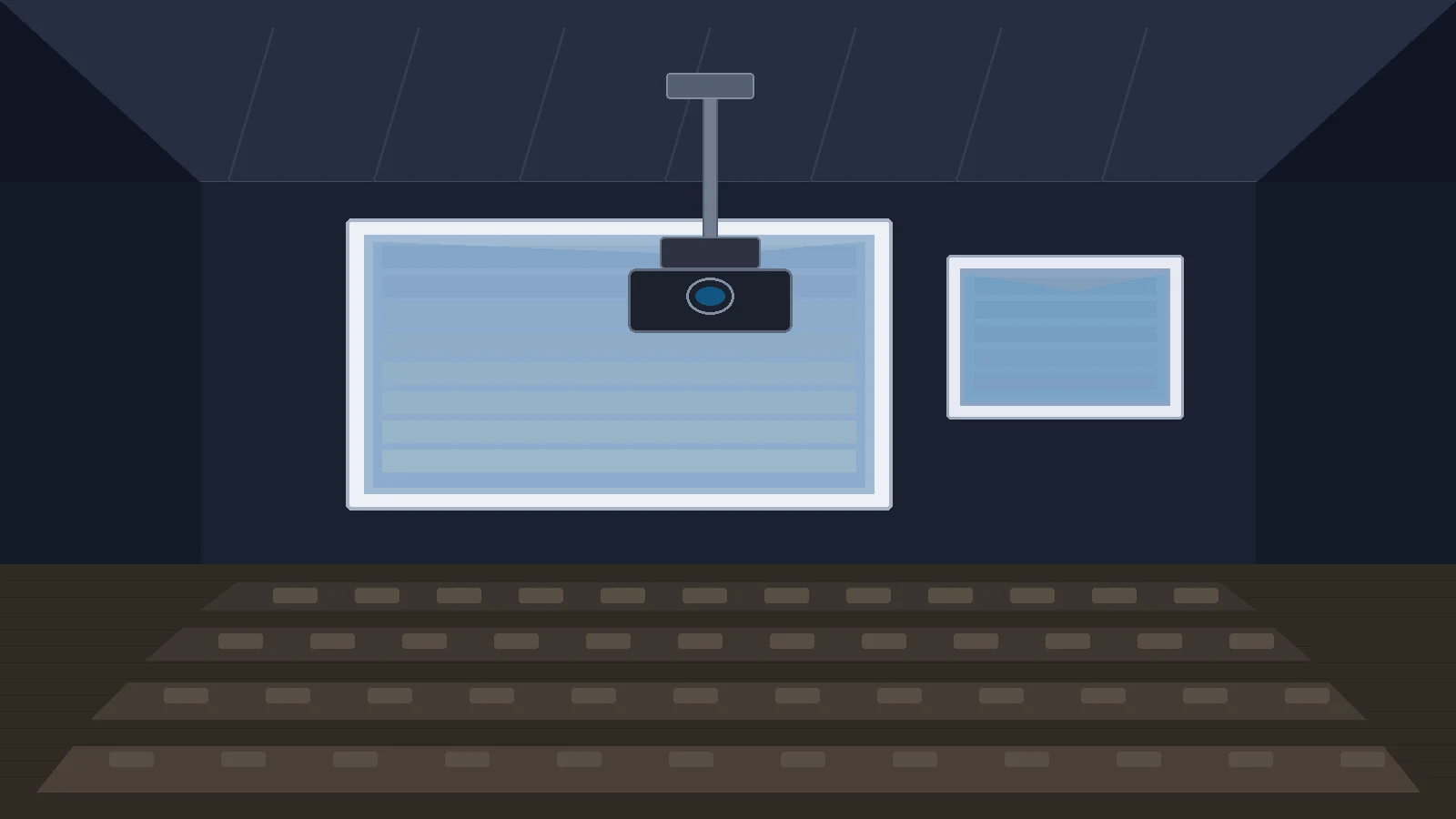
A lecture hall is not a scaled-up classroom. The farthest seat is farther, the walls are harder, the content denser, and the same slide that looked fine on an 86" panel fails the back row. Lecture hall AV design starts with image size, throw, brightness, speech intelligibility and capture — then decides whether projection, dual flat panels or a hybrid is the right tool. This guide walks through a large-venue dual-display spec the way an integrator plans the room before ordering hardware.
Projection, dual flat panels, or hybrid?
Image height versus the farthest designed seat is the first filter. When the room needs a wide image panels cannot economically deliver, projection usually wins. When sightlines favor discrete surfaces, or ambient light is harsh, dual or triple flat panels can be cleaner. Many halls land in a hybrid: a large main projected image plus a side or overflow display. For smaller rooms choosing UST versus a panel, see classroom display planning: ultra short throw vs flat panel — the same brightness and sightline logic still applies at lecture-hall scale.
Chassis and resolution follow image size. For fine text at a large diagonal, review how Epson 4K PRO-UHD projectors deliver detail, and when native 4K vs pixel-shift 4K matters for the content you show. Browse projectors and screens once geometry is locked.
Size the image from the farthest seat
Do not pick a screen because it fits between the soffit and the lectern. Start from the farthest designed viewer using a seat-based method such as the 4/6/8 rule or AVIXA DISCAS guidance in our projector screen size and seating distance guide. Dense text pushes toward a taller image; simple video can live shorter. Closest-seat comfort still matters in steep halls — an oversized front image is as wrong as a tiny rear one.
Once diagonal and aspect are set, place the lens with the projector's throw table or our guide to how to calculate projector throw distance. Deep halls usually want standard or long-throw lenses with lens shift, not keystone as the main fix. Ultra-short-throw is rarely the right primary tool for a large rake; save UST for smaller rooms and interactive surfaces.
Brightness for a lit teaching hall
Lecture halls keep lights on for note-taking, which drives lumen targets harder than a darkened theater. Start from room size, screen gain and ambient light in our projector lumens guide by room size, then confirm against the projector's published data for your image size. Ambient light rejecting (ALR) materials help when windows or house lights wash the wall; see the ambient light rejecting screen materials guide before locking fabric. For daily-use lifecycle cost, compare laser vs lamp projector total cost of ownership.
Dual-display patterns that actually get used
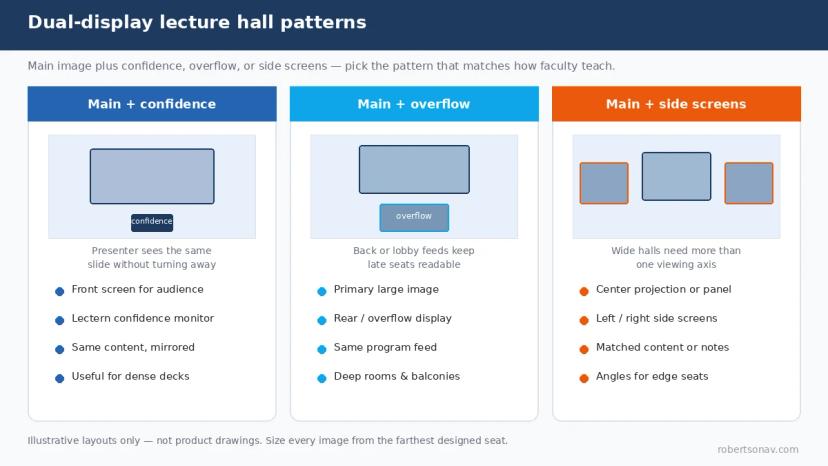
Dual display is not decoration. Faculty need confidence, late seats need overflow, and wide halls need more than one viewing axis. Three patterns cover most halls:
- Main + confidence. Audience sees the large front image; the lectern gets a mirrored confidence monitor so the presenter never turns away from the room.
- Main + overflow. The same program feed drives a rear, balcony or lobby display so late seats and overflow rooms stay readable.
- Main + side screens. A center projection or panel plus left and right side displays for edge seats in a wide footprint. Content can match, or side screens can carry notes while the main carries slides.
Keep switcher routing simple: one clean content path, one presenter camera path, and explicit presets for "slides only," "camera + slides," and "overflow on." Dual panels without a plan become two screens showing different clocks.
Audio: intelligibility over loudness
Speech has to reach the back row without turning the front into a feedback zone. Classroom voice lift and soundfield systems teach the right idea — mic the presenter and distribute the voice evenly — but a large hall inherits the same acoustic enemies as a gym: hard surfaces, long reverberation and late reflections. Our guide to PA speakers for gyms and multipurpose rooms helps with coverage, pattern control and zoning even when finishes differ.
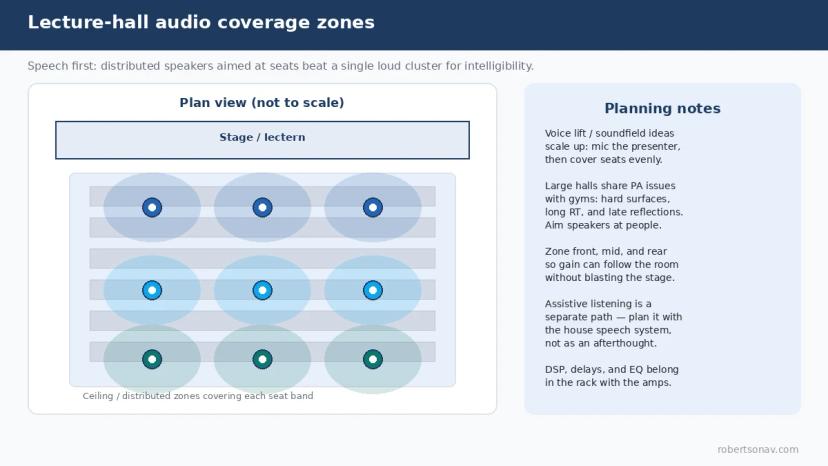
Prefer distributed speakers aimed at seats over a single loud cluster. Zone front, mid and rear so gain can follow the room. Put DSP, delays and EQ in the rack with the amplifiers. Assistive listening is a separate path planned with the house system, not bolted on later. Browse speakers after coverage and impedance strategy are clear.
Lecture capture without a second project
Capture is part of the room design, not a cart that appears later. At minimum you need a clean content feed, a framed presenter shot, and speech audio that matches the room. A PTZ or fixed camera covers the lectern; treat framing with the same care as a meeting-room camera — our conference room camera buying guide covers PTZ basics that still apply. Route camera and content into a switcher or encoder that can record locally, push to an LMS, or both. Keep content resolution native so slides stay sharp in the archive.
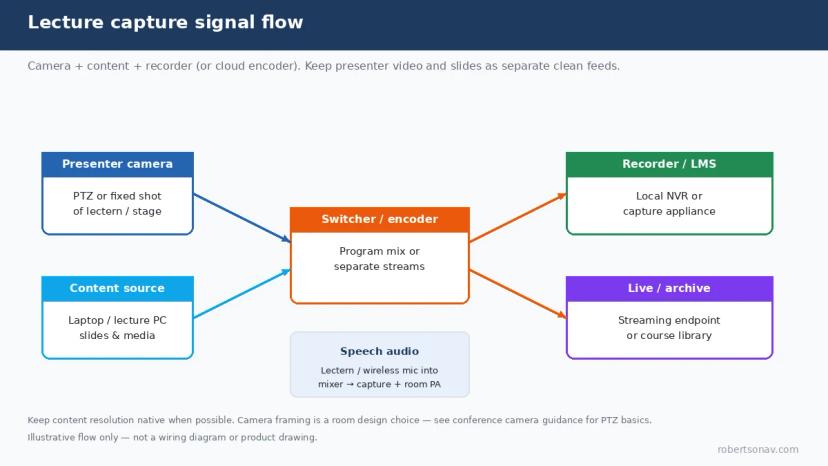
Category browsing for cameras helps once you know fixed versus PTZ and whether the hall needs a second wide shot.
Control, racks, and the signal path
Faculty will not touch a rack of buttons. Spec a one-button start that powers displays, selects the default source, unmutes the speech mic and arms capture. That is the job of AV control systems using RS-232, IP and CEC — pick the transport that matches the devices. Long HDMI runs in a rake or balcony usually need structured extension; see HDBaseT extender long-distance HDMI. House the switcher, DSP, amps and control processor in a ventilated rack — equipment rack basics covers sizes, airflow and sequencing.
A planning checklist
- Measure farthest and closest designed seats; lock image height and aspect from those distances.
- Choose projection, dual panels or hybrid based on image size, ambient light and sightlines.
- Confirm throw class and lens position; avoid digital keystone as the primary alignment tool.
- Set lumen and screen-material targets for lights-on teaching, not a dark demo.
- Pick a dual-display pattern (confidence, overflow or side screens) and define switcher presets.
- Design speech coverage in zones; plan assistive listening with the house system.
- Specify capture as camera + content + speech into a recorder or encoder, not a portable afterthought.
- Add one-button control, rack space, power and long-run signal extension before the quote freezes.
- Quote displays, audio, capture and control as one kit so purchasing does not orphan a subsystem.
FAQ
When does a lecture hall need projection instead of flat panels?
When the farthest seat demands an image height that panels cannot deliver without a costly video wall, or when a single wide surface is clearer than a grid of bezels. Dual or triple panels win when ambient light is harsh, throw geometry is awkward or the room wants discrete side and overflow surfaces without a large screen structure.
How bright should a lecture hall projector be?
Bright enough for lights-on note-taking at your designed image size. Start from room size, screen gain and ambient light in the lumens-by-room-size guide, then verify against the projector's published output for that diagonal. Oversizing lumens without controlling ambient light still washes the image.
Do I need dual displays in every hall?
Not always. Narrow rooms with a strong center sightline can live on one well-sized image plus a lectern confidence monitor. Wide footprints, balconies and overflow rooms usually need a second (or third) surface so edge seats are not reading a steep angle.
How is lecture-hall audio different from classroom voice lift?
The goal is the same — even speech coverage — but scale and acoustics change the hardware. Large halls need zoned distributed speakers, DSP delays and often pattern-controlled cabinets closer to PA practice than a four-speaker classroom soundfield kit.
What belongs in a basic lecture capture path?
A framed presenter camera, a clean content feed at native resolution, speech audio from the house mic mix, and a recorder or encoder that can archive or stream. Add a second wide shot only if pedagogy needs it; do not invent complexity before the first path works.
Can RobertsonAV quote a complete lecture hall AV package?
Yes. Send room drawings or seat counts, desired image size, dual-display intent, audio goals and whether capture is required through a quote request, or start from how to request an AV quote that gets approved. Shipping is free on all RobertsonAV orders within the United States, including oversized and heavy items. Some items need a scheduled delivery, and the carrier will contact you to arrange a delivery window. If you need liftgate or inside delivery, mention it on your quote request. Orders outside Florida have no sales tax; Florida orders are taxed unless you submit a tax-exemption certificate by logging into your RobertsonAV account. Net terms are available for eligible partners. Purchase orders are accepted against a formal quote and should be emailed to orders@robertsonav.com with a reference to your quote.