
Robertson AV Guides
Hybrid Meeting Room Design: Making Remote Attendees Equal
By Robertson AV ·
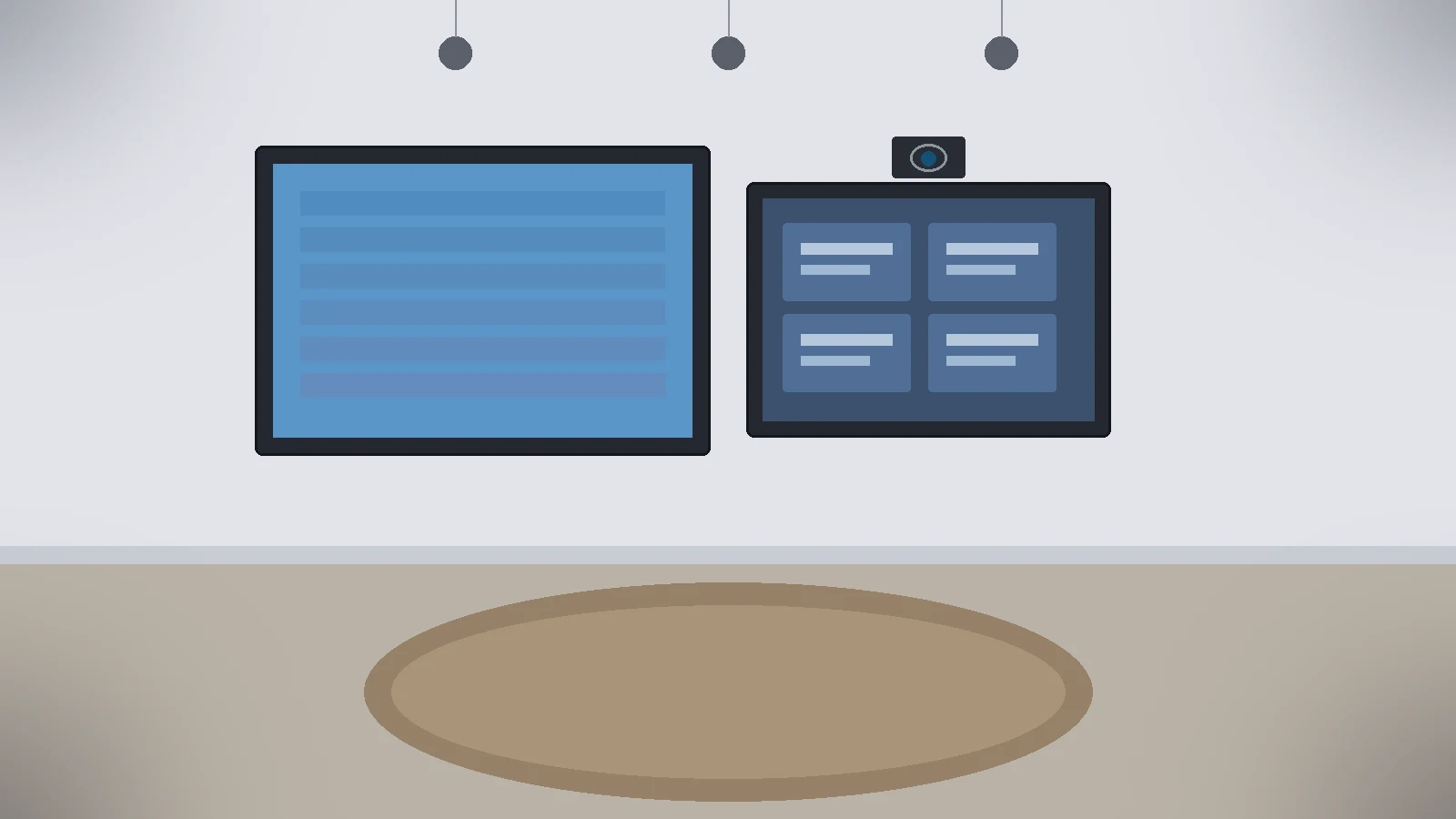
A hybrid meeting room fails in a predictable way: people in the seats can see and hear, while remote attendees get a wide shot of a table, a ceiling microphone that picks up every HVAC note, and a slide they cannot quite read. Designing the room so remote attendees are equal means treating the far end as a designed seat — with its own image, its own microphone coverage and a camera that frames faces instead of furniture. This guide covers the layout decisions that make that possible.
For small rooms, start with the conference room AV checklist for small huddle rooms. Display sizing still follows viewing distance; see commercial display sizes: 55 vs 65 vs 75 vs 86 inch and the commercial display vs consumer TV buyer's checklist. Cameras and microphones are covered in more depth in the conference room camera buying guide and ceiling vs table microphones for meeting rooms.
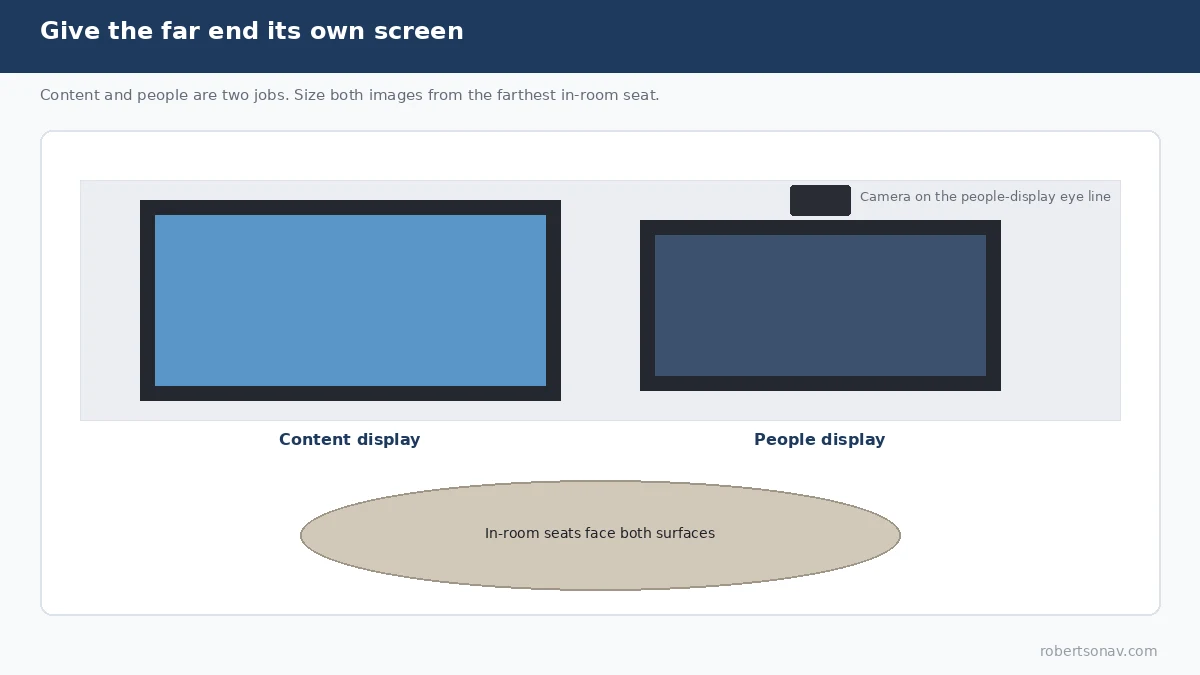
Give the far end its own screen
A single display that switches between content and remote faces forces a bad choice: either the slide disappears when you want to see people, or the people disappear when you want to present. Two surfaces solve that. The common pattern is a content display for the room and a dedicated people display for the remote participants, placed so in-room attendees can look toward the camera and the faces at the same time. In tighter rooms, a side-by-side or stacked pair on the front wall can work if both images stay readable from the farthest seat.
Do not size either display by habit. The content image must pass a seat-based size check from the farthest chair. The people image must be large enough that facial expression is readable, not a row of postage stamps. If the room is already committed to a single oversized panel, a conferencing bar or codec can still compose a gallery, but you will be asking one surface to do two jobs. Dual screens are the cleaner design when the room is used for real discussion, not just broadcast presentations.
Use commercial displays, not consumer televisions, when the room runs all day and must be controlled, mounted and replaced on a commercial cycle. Browse televisions and monitors and video conferencing after the layout is set.
Place the camera on the eye line, not on the ceiling as a default
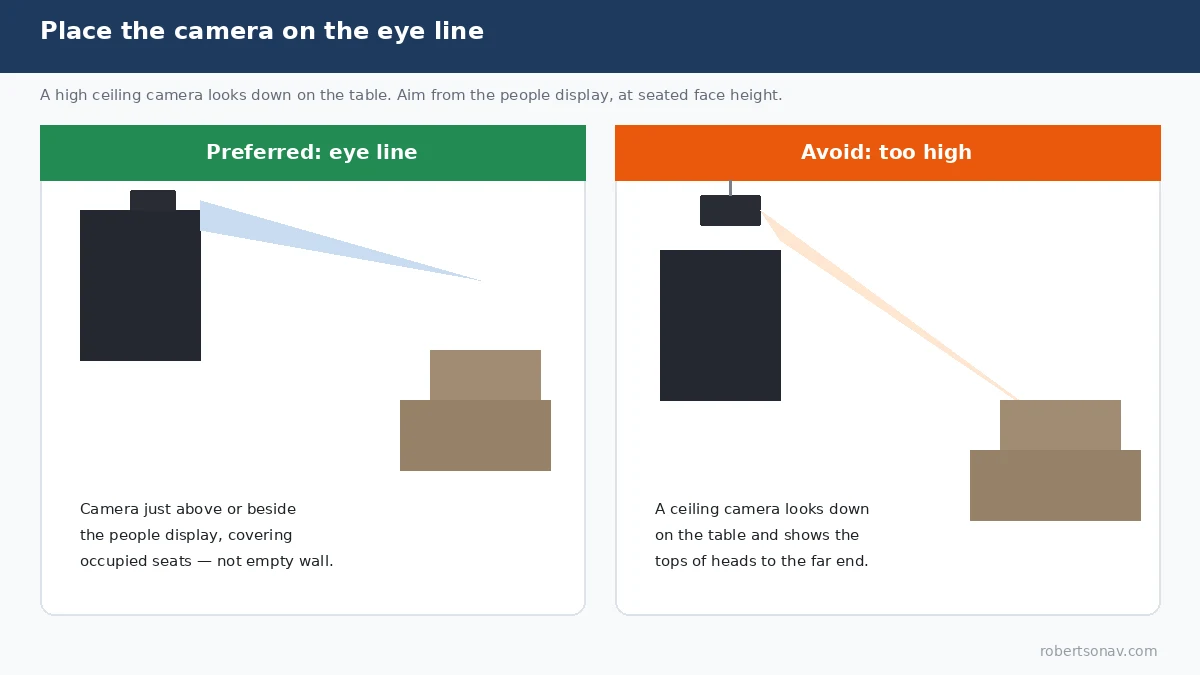
Camera height and aiming should follow the faces in the seats and the apparent eye line of the remote participants on the people display. A camera sitting far above the displays looks down on the table. A camera off to one side makes in-room attendees appear to be looking past the far end. The usual goal is a camera just above or immediately beside the people display, at a height that frames seated participants without an exaggerated downward angle, with a field of view that covers the occupied seats and not a stretch of empty wall.
Field of view, auto-framing and the number of faces you expect in the shot belong on the camera spec, as discussed in the camera buying guide. A huddle room of four to six seats may be well served by a bar or a wide single camera. A longer table may need a second camera, a PTZ unit with presets, or a grouping that can frame a presenter at the wall as well as the seated group. If someone stands at the display to write or present, plan that shot; do not hope the table camera will follow them usefully.
Lighting is part of the camera path. Faces should be lit from the front or slightly off-axis, not silhouetted against a bright window behind the table. If the only wall for displays is also the wall opposite the windows, shades or a change of seating orientation will do more than a more expensive sensor. Confirm this during a site walk, at the time of day the room is actually used.
Audio: the far end has to hear every seat
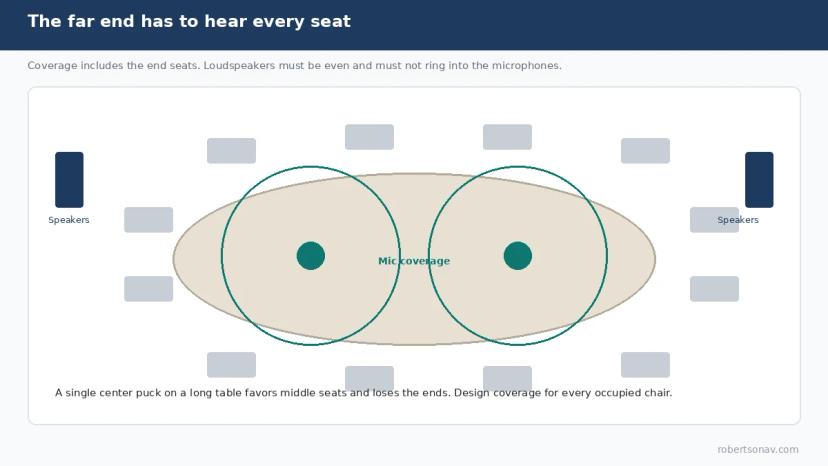
Remote attendees judge the room by speech. A single table puck in the middle of a long table will favor the center seats and lose the ends. Ceiling microphones can cover a designed area when they are specified and aimed for that table, and when the HVAC, ceiling height and finish are understood. Boundary or table microphones can work in smaller rooms if cable management and the look of the table are acceptable. The trade-offs are in ceiling vs table microphones for meeting rooms.
Loudspeakers should be placed so far-end audio is even at every seat and does not ring into the microphones. Built-in bar speakers can be enough in a small huddle room and underpowered in a long boardroom. Keep presentation program audio in the same design so a video clip is not suddenly twice as loud as speech. Acoustic treatment is not a luxury if the room has hard glass and a live table; a good microphone cannot invent a quiet room.
BYOD, control, and the signal path
A room that only works when the in-room PC is on is not a hybrid room; it is a single-purpose studio. Plan how guests join: a room system with a calendar and one-button join, a BYOD path that sends content, camera and microphones to a laptop, or both. USB and HDMI need a documented route to the table, not a dongle hunt. If the table is far from the wall, an extender or a table box is part of the design; see HDMI over HDBaseT when copper HDMI will not reach. Wireless presentation can be a complement for in-room sharing, but it should not be the only way a remote-enabled room comes up. For classroom-style sharing, see wireless presentation systems for BYOD classrooms.
One-button control is what makes the design usable. Displays, camera presets, microphones, volume and the call should come up in a known state. That may be a simple control processor, a conferencing bar with a well-designed interface, or a more complete control system. The basics are in control systems 101: RS-232, IP, and CEC. Keep the equipment in a ventilated, serviceable location; equipment rack basics still apply when the "rack" is a credenza.
A planning checklist
- Who sits in the room, who joins remotely, and whether someone presents at the wall.
- Two image roles: content and people, and a size for each from the farthest seat.
- Camera position on the people-display eye line, field of view, and any presenter shot.
- Microphone coverage for every occupied seat, and loudspeakers that do not ring into those mics.
- Window and lighting notes at the time of day the room is used.
- Room system, BYOD, or both, including table connectivity.
- How the room is controlled at the start of a call, and where the electronics live.
Send those notes through a quote request, or browse cameras, conferencing video bars and video conferencing once the layout is decided.
FAQ
Do we really need two displays?
If the room is used for discussion with remote participants, two surfaces are the cleaner design: one for content, one for people. A single display can work for presentation-heavy rooms, but someone will be staring at a gallery or a slide, not both.
Where should the camera go?
As close as practical to the eye line of the people display, covering the occupied seats without a steep downward angle. See the conference room camera buying guide for field of view and auto-framing.
Are ceiling microphones better than a table microphone?
They solve different rooms. Table or boundary mics can be simple in a small huddle space. Ceiling arrays or individual ceiling mics are often cleaner on a longer table, if they are specified for that coverage. Compare the options in ceiling vs table microphones.
What is the most common hybrid-room failure?
Audio and eye line. Remote attendees who cannot hear the end seats, or who only see the tops of heads from a high camera, will not feel present no matter how large the display is.
Can we use a consumer TV and a webcam?
You can, and you will spend the life of the room working around duty cycle, mounting, control and image quality. A commercial display and a conference camera cost less in the long run for a room that meets daily. See the commercial versus consumer checklist.
Can RobertsonAV quote a hybrid meeting room package?
Yes. Send room dimensions, seat count, whether you want dual displays, camera and microphone preferences, and how people will join calls, through a quote request. Shipping is free on all RobertsonAV orders within the United States, including oversized and heavy items. Some items need a scheduled delivery, and the carrier will contact you to arrange a delivery window. If you need liftgate or inside delivery, mention it on your quote request. Orders outside Florida have no sales tax; Florida orders are taxed unless you submit a tax-exemption certificate by logging into your RobertsonAV account. Net terms are available for eligible partners. Purchase orders are accepted against a formal quote and should be emailed to orders@robertsonav.com with a reference to your quote.